SLIDE 01
Attendance data
PROJECT / Professional / Excel
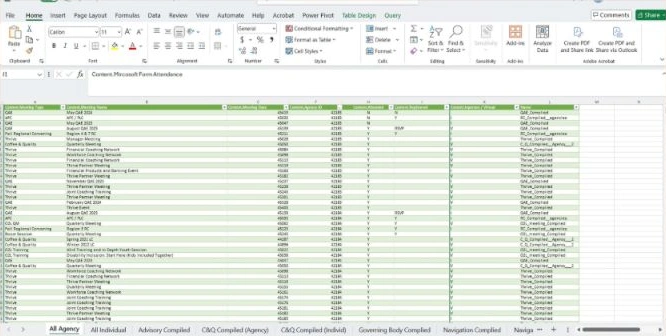
Collecting attendance data across departmental teams to support funded partners’ overall compliance scores.

01 / THE QUESTION
How can attendance records from multiple teams contribute to each funded partner’s compliance score?
02 / THE APPROACH
03 / KEY INSIGHTS
Inconsistent agency names made combining team records difficult. Shared agency identifiers and email-domain matching helped connect attendance records to the correct funded partner.
04 / OUTCOME & IMPACT
Created a consolidated attendance workflow in Excel and Power Query to support funded-partner compliance scoring.
THE PROJECT IN DETAIL
SLIDE 01
SLIDE 02
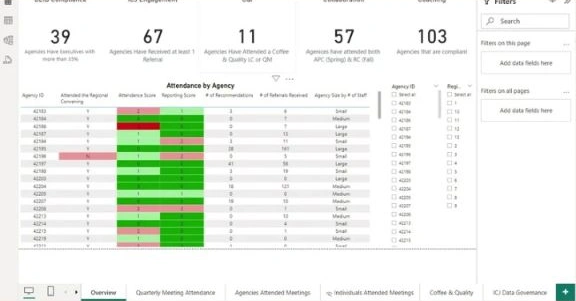
One of my main priorities within my Compliance Analyst role was to collect the attendance data for our various teams in our department that will contribute to each funded partners overall compliance score
SLIDE 03
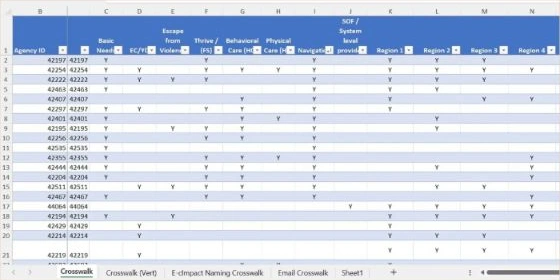
Because all of the teams recorded their data different, my first step was to adopt an universal naming convention create a crosswalk that has the Agency ID as the Primary Key and the Agency Name as the Foreign Key
SLIDE 04
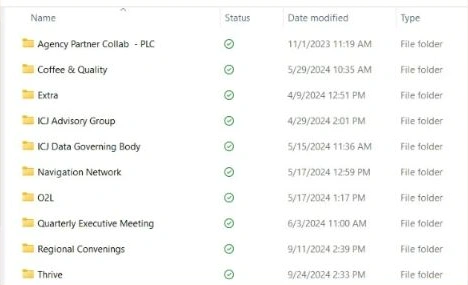
Each team had their own separate Excel where they could input their data but because this was a new process, I primary had to conduct the ETL process into the excel sheets from any source they used to capture the data. To try to save time from deciphering the correct agency name manually, if the teams were able to capture the email of the attendees, I was able to extract the agency domain from the email address and cross reference the domains with a crosswalk a former colleague created.
=RIGHT(cell, LEN(cell) - SEARCH (“@”, cell))
=XLOOKUP (cell, Reference cells, Return cells)
SLIDE 05
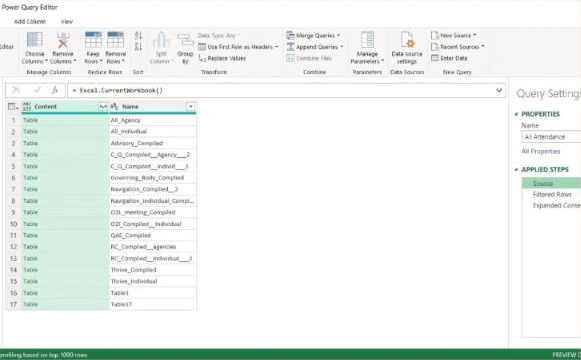
After all of the data has been cleaning and transformed to the current format. A new excel sheet was created that would import all of the teams master attendance sheets using power query. Once all of the sheets were in a created two additional queries that would combine all of the data.
Screenshots and slide descriptions from Gerry Taylor II’s attendance data project presentation.
Get in touch ↗